Make a free event floor plan from a description
Describe your venue — the hall size, stage, dance floor, tables, and bar — and get a clear, to-scale event floor plan in seconds. Free, hourly fair-use limited, and no signup.
Free · no signup · no credit card · hourly fair-use limits
An event floor plan shows how your space is arranged on the day — where the stage sits, how guest tables fit around the dance floor, and where the bar, DJ booth, and walkways go. Describe your hall in plain English and get a to-scale layout you can share with your venue, caterer, and team.
Make a event floor plan maker in four steps
Describe the space
Type your hall dimensions and what goes in it — the stage, dance floor, number and size of guest tables, bar, and DJ booth.
We lay it out to scale
FloorPlanMaker reads your description and arranges everything to scale, with standard symbols for tables, the stage, and walkways.
Review the plan
Check the layout, then refine your description to adjust table counts, spacing, or where the bar and stage sit.
Download it
Export your finished event floor plan as an SVG or PNG to share with your venue, caterer, and on-site team.
See 108 real examples
Compare finished results with the prompts behind them, then bring one back here as your starting point.
Explore the collection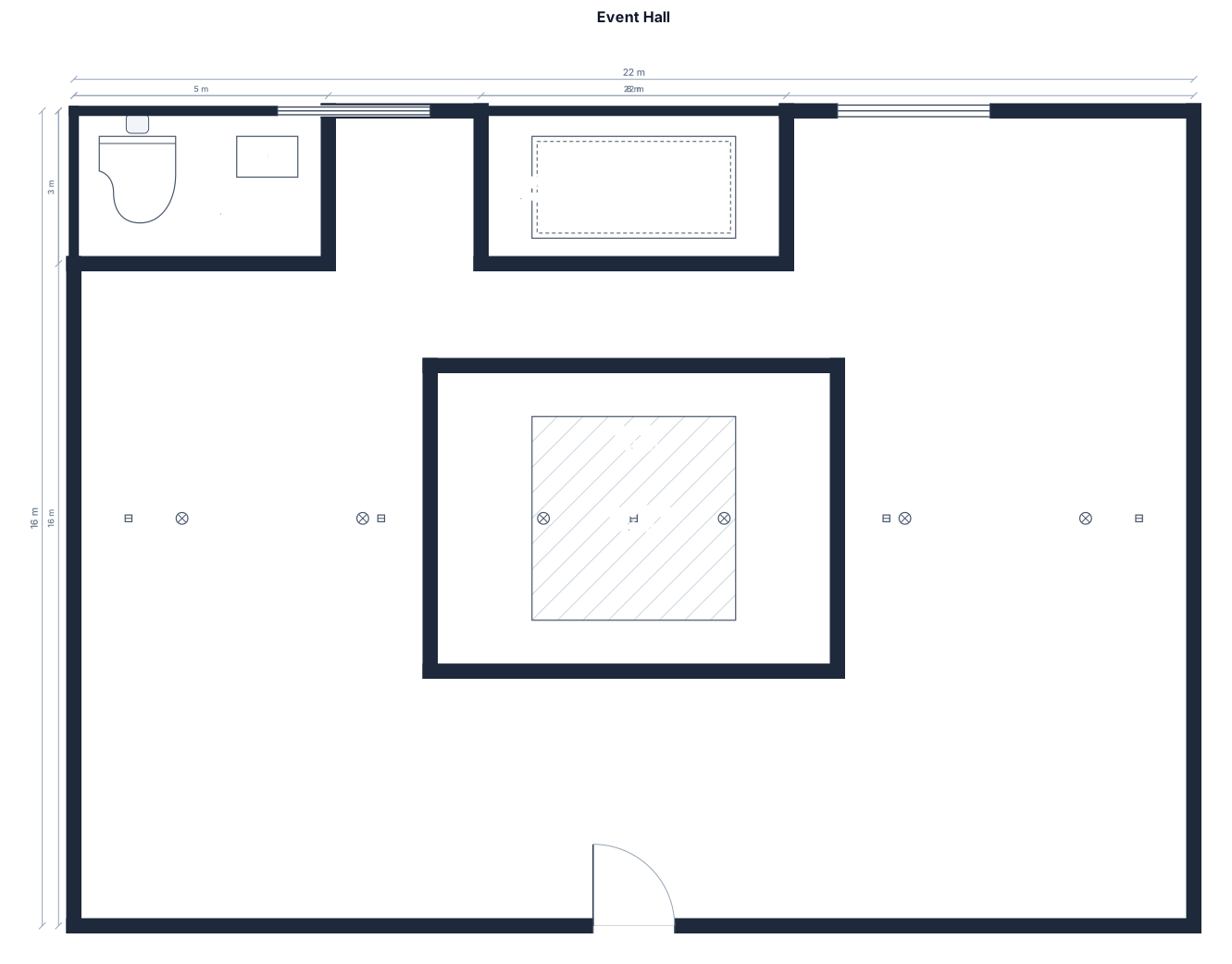
About event floor plan makers
An event floor plan is a to-scale top-down map of how a hall is set up for a party, wedding, gala, or conference reception. It places the stage, dance floor, guest tables, bar, DJ booth, registration desk, and walkways inside the room so everyone — the venue, the caterer, the AV team, and you — works from the same picture on the day. People make one to confirm a room can actually hold the guest count, to plan how tables flow around the dance floor, and to keep fire exits and service aisles clear. A good event floor plan starts from real dimensions and stays to scale: round tables of 10 typically need about 1.5 to 1.8 m of diameter plus room for chairs, so allow roughly 10 square feet per seated guest and keep main aisles at least 1.2 m wide. Common mistakes are packing tables too tightly, forgetting the space a dance floor and stage consume, and blocking exits. To describe yours well, give the room size first, then list the fixed features (stage, bar, DJ booth) and the count and size of tables — for example, '22 by 16 m hall, stage on the short wall, 15 round tables of 10, a central dance floor, and a bar by the entrance.' You do not need CAD skills or any design software: just type what you want in plain English. Every plan is to scale and downloadable as an SVG or PNG, and the tool is completely free, hourly fair-use limited, and needs no signup.
Frequently asked questions
Is the event floor plan maker free?
Yes. It is completely free and hourly fair-use limited, with no signup, no install, and no watermark. Generate as many event floor plans as you like, right in your browser.
Do I need to sign up or install anything?
No. The event floor plan maker runs entirely in your browser — there is no account to create, no app to download, and nothing to install. Just describe your space and generate.
What kinds of events can I plan?
Weddings, galas, banquets, conference receptions, parties, and corporate events. Describe your hall and features — stage, dance floor, guest tables, bars, booths — and you get a to-scale layout for that event.
Do I need CAD skills or design software?
Not at all. You describe the hall and what goes in it in plain English, and the tool arranges everything to scale for you. No CAD experience or drawing software is required.
Can I download and edit the floor plan?
Yes. You can export every plan as an SVG or PNG to share with your venue and caterer, and you can refine the layout by editing your description and regenerating.
Is the plan construction-ready or just for planning?
It is a clear, to-scale planning layout for organizing your event, not an engineered or construction-ready drawing. Use it to coordinate tables, staging, and flow with your team and venue.