Make a free fire escape plan from a description
Describe your home, office, or apartment floor and get a clear, to-scale fire escape plan in seconds — with primary and secondary routes and marked exits. Free, hourly fair-use limited, no signup.
Free · no signup · no credit card · hourly fair-use limits
A fire escape plan is a to-scale floor plan that shows everyone how to get out of a building fast — the primary route, a backup route, and where the exits and meeting point are. Landlords, schools, offices, and families all need one, and most just want something clear they can print and post on the wall.
Make a fire escape plan maker in four steps
Describe the space
Type a plain-English description of the floor — rooms, doors, stairs, and which exits lead outside. Add room counts or rough dimensions if you have them.
We lay it out to scale
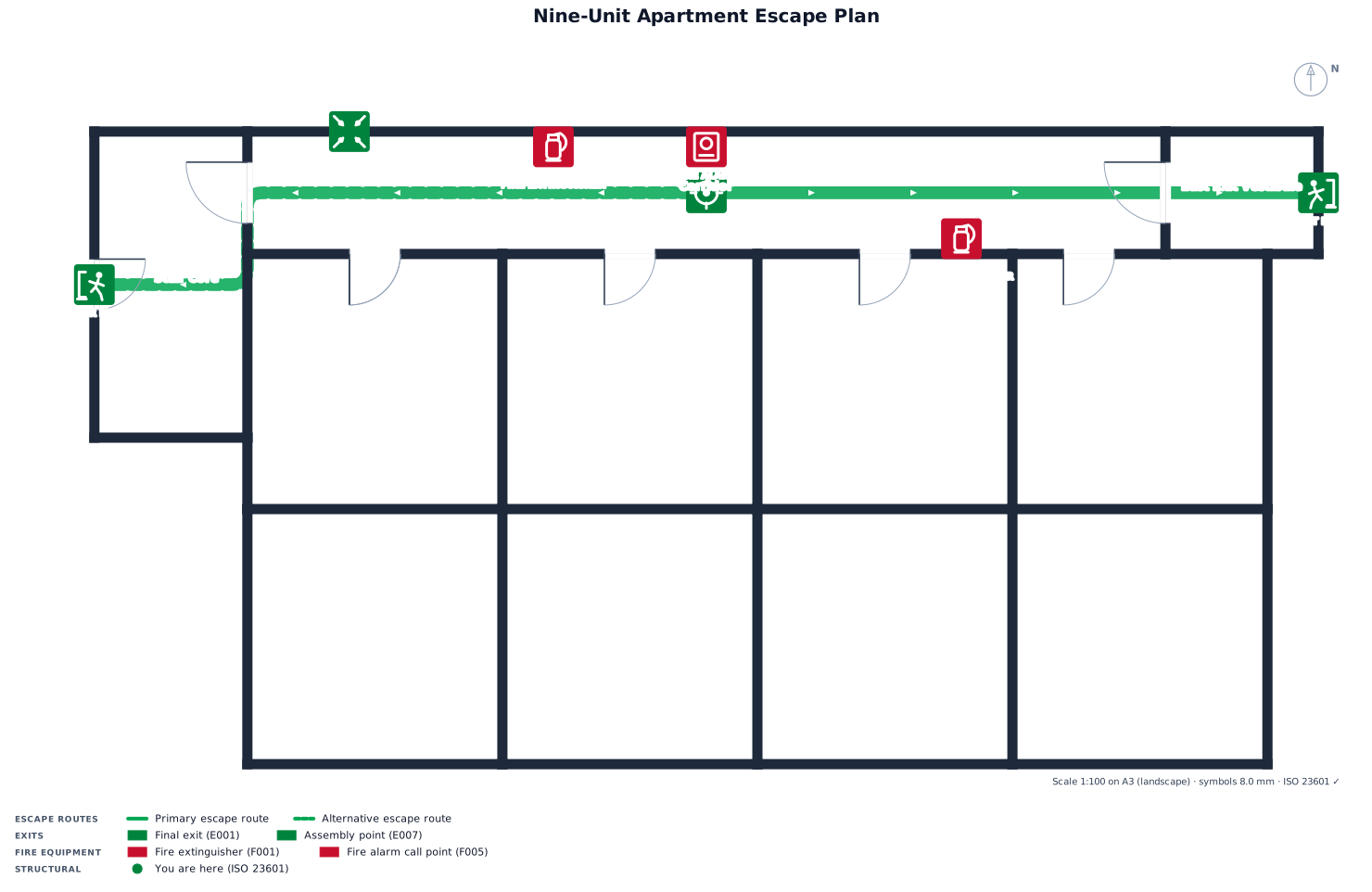
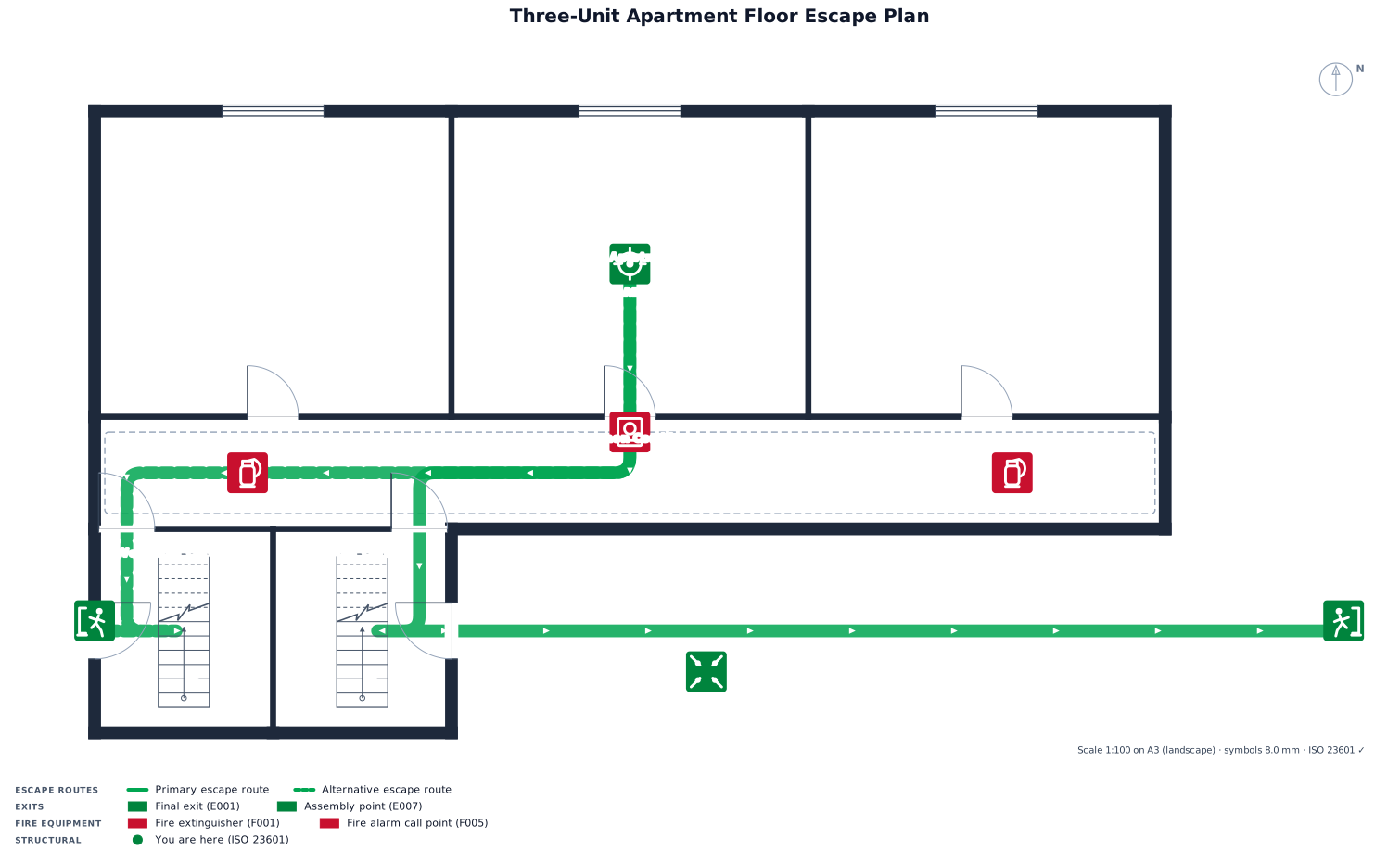
FloorPlanMaker draws a to-scale 2D floor plan and adds the escape routes and marked exits, so the layout matches the real proportions of your space.
Review the plan
Check that the primary and secondary routes, exits, and meeting point are right. Tweak your wording and regenerate as many times as you like — it's free.
Download it
Export the finished fire escape plan as an SVG or PNG, then print it or post it on the wall where people can see it.
See 44 real examples
Compare finished results with the prompts behind them, then bring one back here as your starting point.
Explore the collection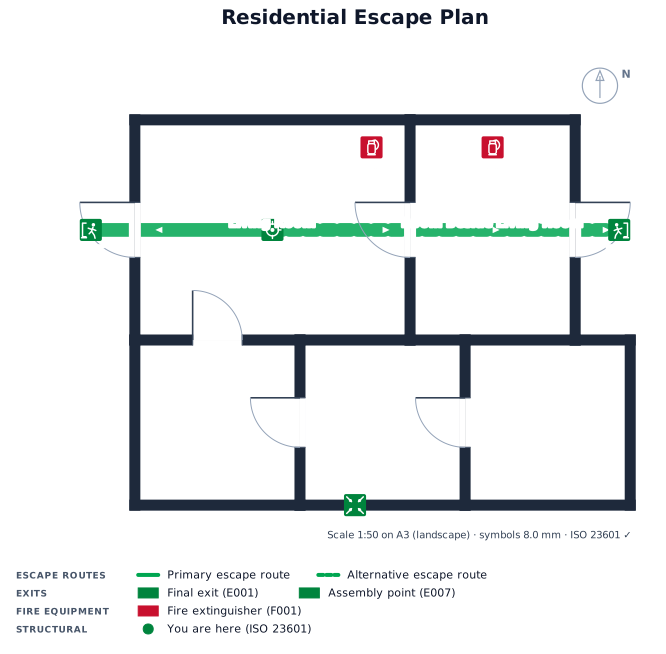
About fire escape plan makers
A fire escape plan is a simple, to-scale floor plan that shows how to leave a building safely in an emergency. It maps each room, the doors and stairs, a primary escape route, a backup route in case the first is blocked, the marked exits that lead outside, and an outdoor meeting point where everyone gathers and is counted. People make them for all kinds of spaces: families post one in the hallway, landlords put them by apartment doors, schools and offices keep them on every floor, and many fire codes and insurers expect one to exist.
A good fire escape plan is clear before it is detailed. It should be drawn roughly to scale so the routes read correctly, use standard, easy-to-recognize symbols and arrows for exits and travel paths, and give every room at least two ways out wherever possible. Color helps — a common convention is one color for the primary route and another for the secondary — and the diagram should be readable from a few feet away when it's printed and pinned to a wall.
To describe yours well, name each room, say which doors and stairs connect them, and point out which exits actually lead outside. Mention the meeting point and, if you know them, rough room sizes. You don't need CAD skills or any drawing software — just type what the floor looks like and FloorPlanMaker renders the layout for you. The finished plan downloads as an SVG or PNG, and it's completely free and hourly fair-use limited with no signup. These are clear planning and awareness layouts, not stamped engineering drawings, so for anything that must satisfy a specific code, have a qualified professional confirm it.
Frequently asked questions
Is the fire escape plan maker free?
Yes. FloorPlanMaker is completely free and hourly fair-use limited — generate, regenerate, and download as many fire escape plans as you need at no cost.
Do I need to sign up or install anything?
No signup and no install. It runs entirely in your browser — just describe your floor and the fire escape plan is generated instantly online.
What kind of fire escape plans can I make?
Any single-floor layout: homes, apartments, offices, classrooms, restaurants, and more. Each plan shows primary and secondary routes, marked exits, and a meeting point.
Do I need CAD skills or drawing experience?
Not at all. You describe the space in plain English — rooms, doors, stairs, and exits — and FloorPlanMaker draws the to-scale plan and routes for you automatically.
Can I download and edit the plan?
Yes. Export your finished plan as an SVG or PNG to print or post. To change it, just edit your description and regenerate — it's free and hourly fair-use limited.
Are these plans construction-ready or code-certified?
No. These are clear, to-scale planning and awareness layouts, not stamped engineering drawings. For official code compliance, have a qualified professional review the plan.