Free online floor planner
Describe your home or room — sizes, doors, windows, and furniture — and get a clean, to-scale 2D floor plan to plan around. Free, no signup.
Free · no signup · no credit card · daily fair-use limits
Describe the rooms you are planning and the furniture you want in them. The floor planner draws a to-scale 2D plan so you can check sizes and walkways before you buy or move furniture.
How to make a floor plan
Give the size
Enter the overall size of the floor planner in feet or metres, for example 68 m² or 900 sq ft.
Describe what goes inside
List the rooms, sizes, and the furniture in each. Add sizes or counts where you know them.
Place doors and windows
Say which walls get the entrance, doors, and windows, and which way the doors swing, so the floor plan shows real clearances.
Check and download
Review the spacing and walkways, change the description if something does not fit, then download the floor plan as SVG or PNG.
See 17 real examples
Compare finished results with the prompts behind them, then bring one back here as your starting point.
Explore the collection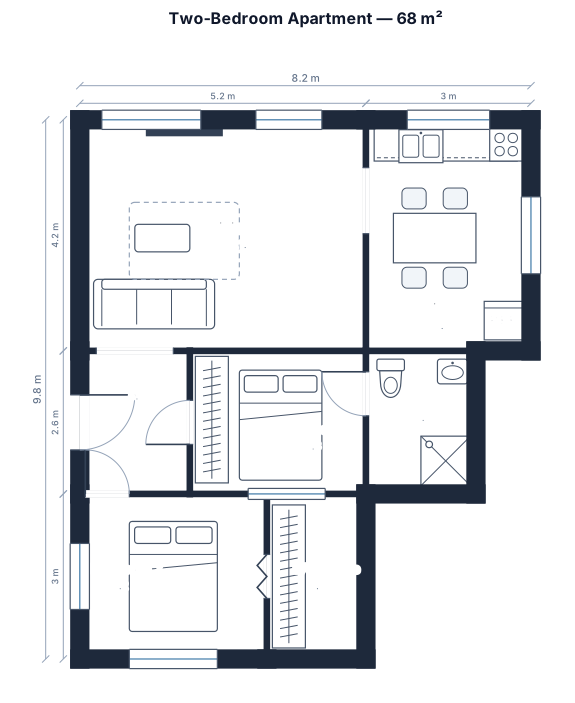
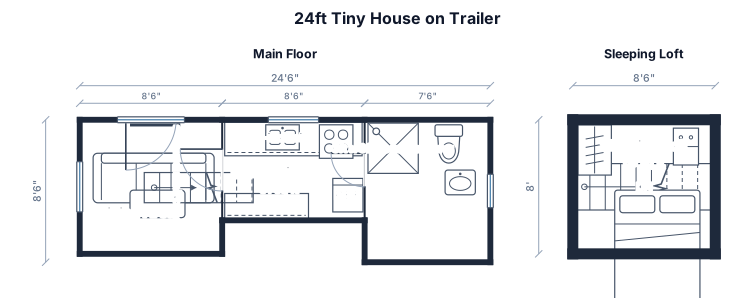
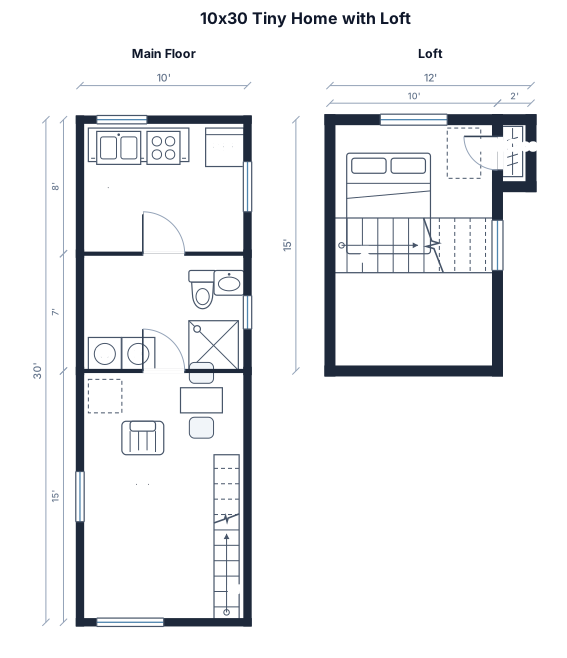
Using the floor planner
Use the floor planner to check furniture before you buy or move it: describe the room, list the pieces with sizes, and look at the walkways that are left.
Describe the floor planner in plain English and you get a clean, to-scale 2D floor plan with walls, doors, windows, and furniture. It is a planning drawing to test ideas and share with others, not a construction document.
Frequently asked questions
Can I add furniture?
Yes. Name the furniture, such as a sofa, bed, or dining table, and add sizes if you know them.
Is the floor plan drawn to scale?
Yes. Every floor plan is drawn to scale in the units you type, so you can measure walkways and clearances.
Can I edit the floor plan after it is generated?
Yes. Change the description, for example a size or a room, and generate again. Each version is a new to-scale plan.
Is the floor plan a construction drawing?
No. It is a 2D planning layout for sizes, furniture, and flow. Use an architect, builder, or licensed trade for construction and permit drawings.
Is the floor plan maker free?
Yes, with no signup. Generation has hourly fair-use limits, and you can download SVG or PNG.