Plan your kitchen layout free from a plain-English description
Describe your kitchen — its size, counter run, appliances, and island — and FloorPlanMaker draws a clean, to-scale 2D plan in seconds. No signup, no CAD, hourly fair-use limited.
Free · no signup · no credit card · hourly fair-use limits
A kitchen planner turns the way you talk about your space into a to-scale 2D floor plan. Whether you are remodeling, fitting new cabinets, or just testing where the island should go, describe the room and see the layout drawn instantly.
Make a kitchen planner in four steps
Describe the space
Type your kitchen's dimensions, the shape of the counter run, and the appliances and island you want to place.
We lay it out to scale
FloorPlanMaker reads your description and draws walls, counters, appliances, and the island as a to-scale 2D plan.
Review the plan
Check the proportions, walkways, and appliance spacing, then adjust your description and regenerate until it fits.
Download it
Export your finished kitchen plan as an SVG or PNG to share, print, or drop into a remodel document.
See 64 real examples
Compare finished results with the prompts behind them, then bring one back here as your starting point.
Explore the collection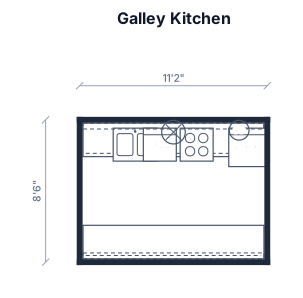
About kitchen planners
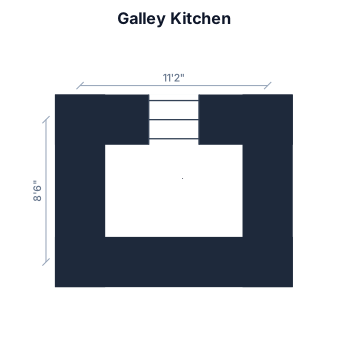
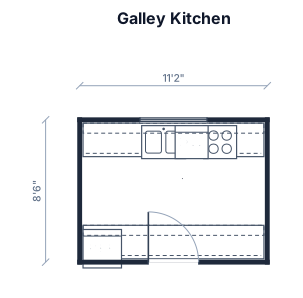
A kitchen planner is a simple to-scale floor plan of a kitchen — it shows the walls, the counter and cabinet runs, the major appliances (stove, sink, fridge, dishwasher), and any island or peninsula, all drawn in proportion so you can judge how the space really works. People reach for one when remodeling a kitchen, ordering new cabinets, rearranging appliances, or just deciding whether an island will fit without blocking the room. A good kitchen plan starts with accurate dimensions and keeps everything to scale: that is what lets you spot a too-narrow walkway or a fridge door that swings into the oven before anything is built. The classic guideline is the work triangle — the sink, stove, and fridge should sit a comfortable distance apart, with clear aisles of roughly 90 to 120 cm (36 to 48 in) so two people can pass and appliance doors can open. To describe your kitchen well, give the room size first, then the shape of the counter run (galley, L-shaped, U-shaped, or with an island), and finally list each appliance and where it sits — for example a sink under the window or a cooktop on the island. You do not need any CAD experience: plain English is enough, and the planner places standard kitchen symbols for you. When the layout looks right, download it as an SVG or PNG. It is completely free, hourly fair-use limited, and needs no signup — generate as many kitchen layouts as you like while you settle on the one that works.
Frequently asked questions
Is the kitchen planner free?
Yes. The kitchen planner is completely free and hourly fair-use limited — generate as many to-scale kitchen layouts as you need at no cost.
Do I need to sign up or install anything?
No signup and no installation. It runs entirely in your browser, so you can describe a kitchen and get a plan right away.
What kinds of kitchens can I make?
Any layout you can describe — galley, L-shaped, U-shaped, open-plan, or island and peninsula kitchens of any size, with the appliances you choose.
Do I need CAD skills to use it?
Not at all. You describe the kitchen in plain English and the planner places to-scale walls, counters, and appliances for you automatically.
Can I download and edit the plan?
Yes. Export your kitchen plan as an SVG or PNG to share or print, and refine the layout anytime by adjusting your description and regenerating.
Are these plans ready for construction?
No. These are clear, to-scale planning layouts for visualizing and arranging a kitchen — not certified construction or permit drawings.