Make a free seating chart from a plain-English description
Describe your event in plain words and FloorPlanMaker lays out a to-scale seating chart — tables, chairs, head table, dance floor, and bar, all positioned and ready to download.
Free · no signup · no credit card · hourly fair-use limits
Planning where everyone sits is the hardest part of any wedding, gala, or banquet. A seating chart maker turns your guest count and table mix into a clear, to-scale floor plan so you can see how the room actually fits before the big day.
Make a seating chart maker in four steps
Describe the space
Type your guest count, number and type of tables, and any features like a head table, dance floor, or bar in plain English.
We lay it out to scale
FloorPlanMaker arranges the tables, seats, and features into a to-scale seating chart using standard event-layout spacing.
Review the plan
Check capacity, table spacing, and walkways. Adjust your description and regenerate until the layout fits the room.
Download it
Export your finished seating chart as an SVG or PNG to print, share with vendors, or hand to your venue coordinator.
See 15 real examples
Compare finished results with the prompts behind them, then bring one back here as your starting point.
Explore the collection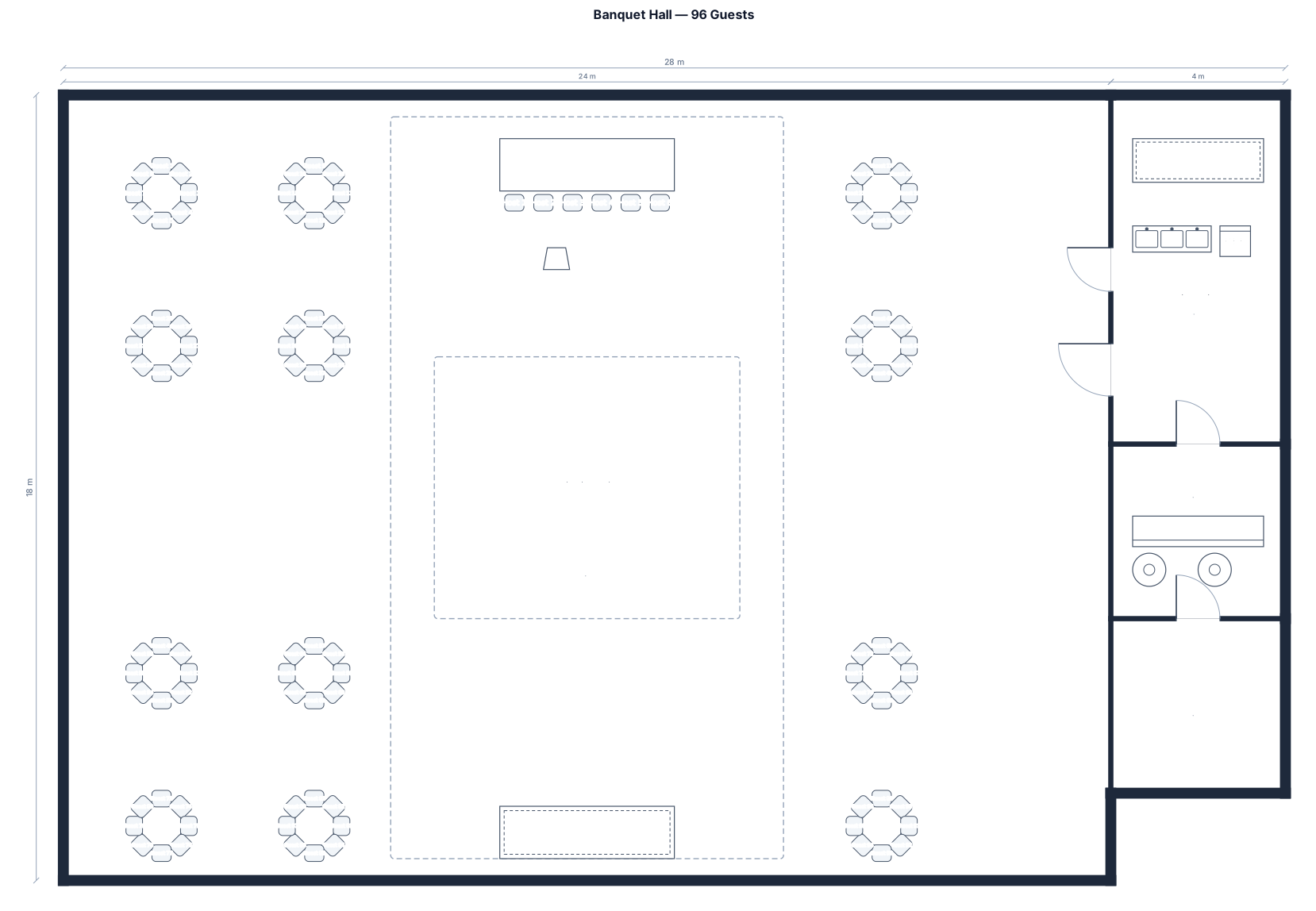
![Seating Chart example created from the prompt: ======================= BACK WALL (WATER VIEWS) ======================= [ DJ ] [ Photo Booth ] [ SWEETHEART TABLE ] (X=35, Y=90) ===========](https://psvtykrtciekraoilfux.supabase.co/storage/v1/object/public/gallery-assets/floorplanmaker/feed/469584ea-f311-4fca-9c4b-060a6cd044dd.svg)
![Seating Chart example created from the prompt: ======================= BACK WALL (WATER VIEWS) ======================= [ DJ ] [ Photo Booth ] [ SWEETHEART TABLE ] (X=35, Y=90) ===========](https://psvtykrtciekraoilfux.supabase.co/storage/v1/object/public/gallery-assets/floorplanmaker/feed/c43820c5-216b-49dc-aa73-2ca8cb6ac5d6.svg)
About seating chart makers
A seating chart is a to-scale floor plan that shows where every table, chair, and guest goes in an event space — a wedding reception, gala, banquet, or awards dinner. People make one to confirm the room actually holds their guest count, to keep families and groups together, and to give caterers, DJs, and venue staff a shared map of the night. A good seating chart starts with accurate scale. Round tables of 8 usually need about a 60-inch top with roughly 10 feet of diameter clearance for seated guests plus serving access; tables of 10 need a 72-inch top. Leave at least 4 to 5 feet of aisle between table edges so guests and servers can pass, and reserve open floor for a dance floor (a 15x15 ft floor suits about 60 dancers), bars, buffet lines, a stage, and a clear path from the entrance. Common mistakes are packing tables too tightly, forgetting the dance floor and bar footprint, and blocking exits. To describe yours well, give the total guest count, the number and shape of tables and how many sit at each, and name the fixed features: head or sweetheart table, dance floor, bar, buffet, stage, and entrance. You do not need any CAD skills — just plain English. The result is a clean, to-scale planning layout you can download as an SVG or PNG, and it is completely free and hourly fair-use limited with no signup.
Frequently asked questions
Is the seating chart maker free?
Yes. The seating chart maker is completely free and hourly fair-use limited, with no signup and no credit card required — describe your event and generate as many layouts as you like.
Do I need to sign up or install anything?
No. It runs entirely in your browser. There is no signup, no download, and no install — just type a description and your seating chart appears instantly.
What kind of events can I make a chart for?
Weddings, galas, banquets, corporate dinners, awards nights, and any seated event. Just describe the guest count, tables, head table, dance floor, and bar you need.
Do I need CAD skills to use it?
Not at all. You describe the event in plain English and the tool handles the to-scale layout for you — no CAD software, drawing tools, or design experience needed.
Can I download and edit my seating chart?
Yes. Export your seating chart as an SVG or PNG to print or share. To change the layout, edit your description and regenerate until the arrangement fits your room.
Is the seating chart construction-ready?
No. It is a clear, to-scale planning layout for organizing your event, not an engineering or construction drawing. Confirm exact dimensions with your venue before the day.