Design your bathroom layout free, from a plain-English description
Type the size and fixtures you want and our free bathroom design tool builds a clean, to-scale 2D floor plan in seconds — toilet, vanity, tub, and shower all placed for you.
Free · no signup · no credit card · hourly fair-use limits
Planning a new bathroom or a renovation? This free bathroom design tool turns a plain-English description of your space and fixtures into a clear, to-scale 2D floor plan — so you can see how the toilet, sink, tub, and shower fit before you buy anything or call a contractor.
Make a bathroom design tool in four steps
Describe the space
Type your bathroom's dimensions and the fixtures you want — toilet, vanity, bathtub, shower — in plain English. No measurements jargon needed.
We lay it out to scale
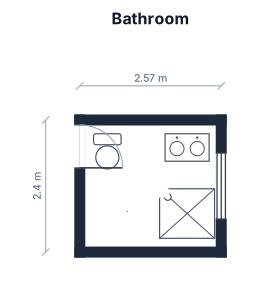
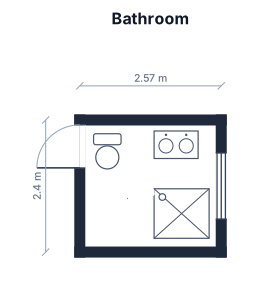
FloorPlanMaker reads your description and places each fixture on a clean, to-scale 2D floor plan with walls, doors, and standard symbols.
Review the plan
Check the layout, clearances, and fixture positions. Tweak your description and regenerate until the bathroom plan looks right.
Download it
Export your finished bathroom floor plan as an SVG or PNG to share with a contractor, designer, or family — free and hourly fair-use limited.
See 121 real examples
Compare finished results with the prompts behind them, then bring one back here as your starting point.
Explore the collection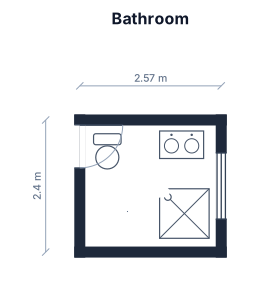
About bathroom design tools
A bathroom design tool turns the size of your room and the fixtures you want into a to-scale 2D floor plan, so you can see exactly how a toilet, vanity, bathtub, and shower fit before committing to a renovation. People reach for one when they are remodeling, building new, or just deciding whether a tub and a separate shower can both fit in a tight space. A good bathroom plan starts with accurate dimensions and uses standard fixture symbols drawn at real-world scale — a toilet needs roughly 30 inches of width and about 24 inches of clearance in front, a vanity typically runs 24 to 36 inches deep, and a comfortable shower is around 36 by 36 inches at minimum. The most common mistakes are crowding fixtures so doors and shower screens collide, forgetting door swing clearance, and ignoring plumbing walls. To describe your bathroom well, give the overall dimensions first, then list each fixture and roughly where you want it — for example, "a 3 by 2.5 m bathroom with the toilet on the left wall, a vanity opposite the door, and a separate tub and shower along the back wall." You do not need any CAD skills or drafting software: just plain English. The result is a clear planning layout you can download as an SVG or PNG, regenerate as many times as you like, and share with anyone — completely free, hourly fair-use limited, and with no signup required.
Frequently asked questions
Is this bathroom design tool free?
Yes. The bathroom design tool is completely free and hourly fair-use limited — you can generate and download as many bathroom floor plans as you want at no cost.
Do I need to sign up or install anything?
No signup and no installation. It runs in your browser, so you can describe a bathroom and get a to-scale plan instantly without creating an account.
What kinds of bathrooms can I design?
Anything from a tiny powder room to a large master bath or ensuite — just describe the dimensions and the fixtures you want, like a toilet, vanity, tub, or walk-in shower.
Do I need CAD or design skills?
Not at all. You describe your bathroom in plain English and the tool lays it out to scale for you — no CAD software, drafting experience, or measurements jargon needed.
Can I download and edit the bathroom plan?
Yes. You can export your bathroom floor plan as an SVG or PNG, and you can refine the layout anytime by editing your description and regenerating it for free.
Are these plans construction-ready?
No. These are clear, to-scale planning layouts to help you visualize and discuss your bathroom — they are not stamped construction drawings, so confirm details with a licensed professional before building.