Make a free classroom seating chart from a simple description
Describe your room, desk count, and layout in plain English and get a clean, to-scale classroom floor plan in seconds. Built for teachers, free and with no signup.
Free · no signup · no credit card · hourly fair-use limits
A classroom seating chart maps every student desk, the teacher area, and the room's fixtures onto a to-scale plan so you can balance sightlines, walking room, and group work before the first day. Describe your space below and get a ready-to-print layout in seconds.
Make a classroom seating chart maker in four steps
Describe the space
Type your room dimensions, the number of desks, and the layout you want — rows, groups, a U-shape, or pairs.
We lay it out to scale
FloorPlanMaker places desks, the teacher area, and fixtures on a to-scale plan with sensible spacing for walkways.
Review the plan
Check sightlines, aisle width, and desk groupings, then tweak your description and regenerate until it fits.
Download it
Export your finished classroom seating chart as an SVG or PNG to print, share, or pin to your board.
See 101 real examples
Compare finished results with the prompts behind them, then bring one back here as your starting point.
Explore the collection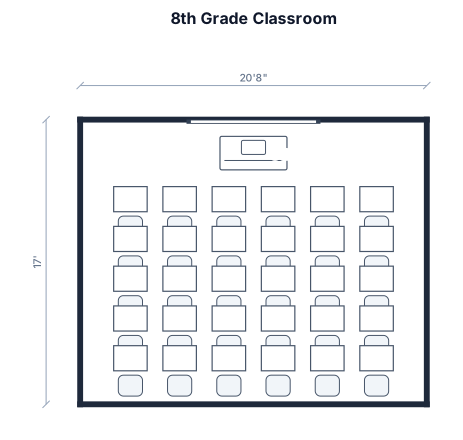
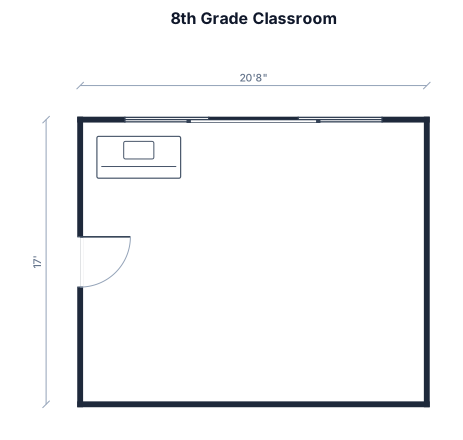
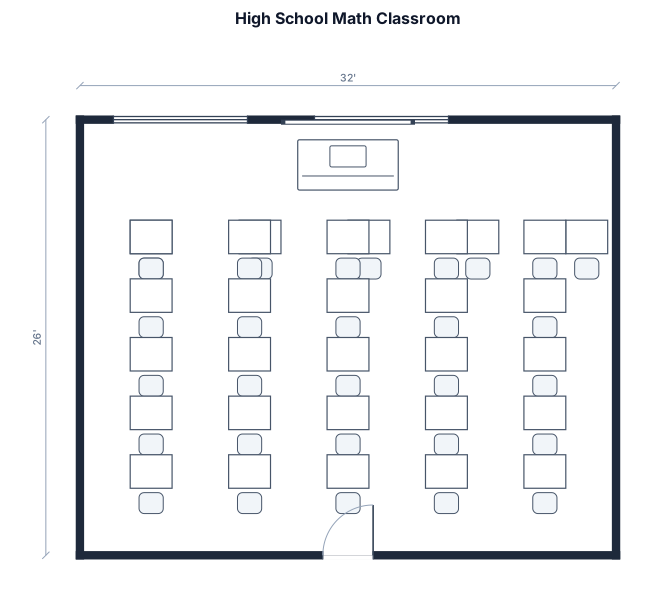
About classroom seating charts
A classroom seating chart is a to-scale floor plan that shows where every student desk, the teacher's desk, and key fixtures like the whiteboard, door, and reading corner sit within the room. Teachers build one before the term to balance several things at once: clear sightlines to the board, enough aisle space to move between desks, separation of students who distract each other, and easy access for fire drills. A good chart starts with accurate room dimensions — most classrooms run somewhere between 600 and 900 square feet — and uses a sensible rule of thumb of roughly 25 to 35 square feet per student so the room never feels cramped. The strongest layouts keep at least three feet of clearance in main walkways and place the teacher desk where it has a full view of the room. Common mistakes are packing desks too tightly, blocking the exit path, or forgetting that group tables need more floor area than rows. To describe your room well, give the dimensions, the desk count, the arrangement you want (rows, pairs, groups, or a U-shape), and any fixtures that matter. You don't need CAD skills or any design software — just plain English. FloorPlanMaker turns that description into a clean, to-scale plan you can download as an SVG or PNG, regenerate as often as you like, and use for free with no signup. These are clear planning layouts for arranging your room, not certified architectural drawings.
Frequently asked questions
Is the classroom seating chart maker free?
Yes. FloorPlanMaker is completely free and hourly fair-use limited — you can generate as many classroom seating charts as you need at no cost.
Do I need to sign up or install anything?
No. It runs entirely in your browser with no signup, no account, and no download or install required to get started.
What kind of classroom layouts can I make?
You can make rows, paired desks, group tables, U-shapes, lab benches, and reading corners — just describe your room, desk count, and arrangement in plain English.
Do I need CAD skills or design experience?
Not at all. You only describe the room in everyday words and FloorPlanMaker draws the to-scale plan for you — no CAD software or training needed.
Can I download and edit the seating chart?
Yes. You can export the finished chart as an SVG or PNG to print or share, and regenerate with a tweaked description anytime to adjust the layout.
Are these construction-ready drawings?
No. These are clear, to-scale planning layouts for arranging your classroom — they are not certified architectural or construction-ready blueprints.