Design a conference room layout free from a plain description
Describe your meeting room — its size, the table, seating, screen and storage — and get a clean, to-scale floor plan in seconds. Free, hourly fair-use limited, and no signup required.
Free · no signup · no credit card · hourly fair-use limits
A conference room layout maker turns a plain-English description of your meeting space into a clear, to-scale 2D floor plan. Whether you are fitting a boardroom table, planning circulation around chairs, or placing a screen and credenza, you can see exactly how it all fits before moving a single piece of furniture.
Make a conference room layout maker in four steps
Describe the space
Type your room dimensions, the table and seating count, and any fixtures like a screen, credenza, or doors in plain English.
We lay it out to scale
FloorPlanMaker reads your description and arranges the table, chairs, and fixtures into a to-scale 2D floor plan automatically.
Review the plan
Check the spacing, circulation room, and seat count. Adjust your description and regenerate as many times as you like.
Download it
Export your finished conference room layout as an SVG or PNG to share with colleagues or drop into a deck.
See 94 real examples
Compare finished results with the prompts behind them, then bring one back here as your starting point.
Explore the collection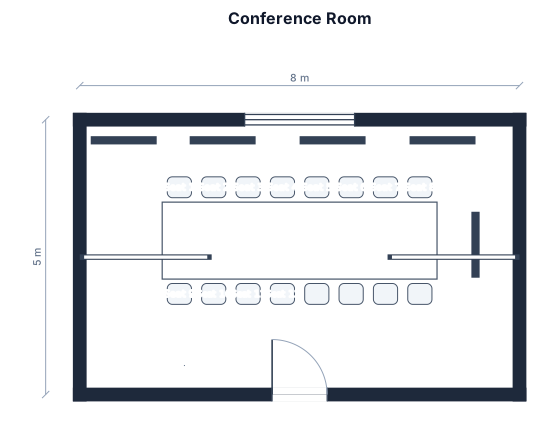
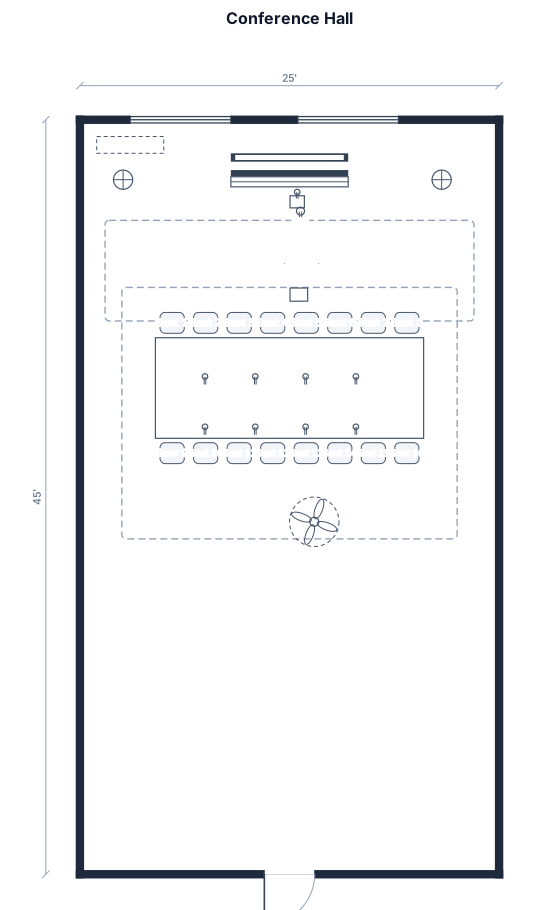
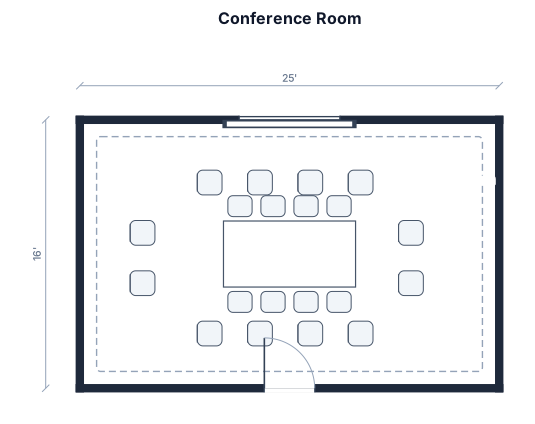
About conference room layout makers
A conference room layout maker helps you plan how a meeting space fits its table, seating, and presentation equipment before you buy furniture or rearrange a room. People reach for one when outfitting a new office, reconfiguring a boardroom, or deciding whether a given table and seat count will actually fit with comfortable circulation. A good conference room layout starts with accurate room dimensions and is drawn to scale, so every element keeps its real-world proportions. As a rule of thumb, allow roughly 60 cm of table edge per seated person, keep at least 90 to 120 cm of clearance behind chairs so people can walk and sit comfortably, and place the presentation screen on the wall everyone can see without turning fully around. Common layouts include boardroom (one large table), U-shape (open end facing the screen for training), and hollow square for larger discussions. To describe your room well, give the room size in meters or feet, the table shape and how many it should seat, and call out fixtures such as a screen, projector, credenza, whiteboard, or the doors. You do not need any CAD skills or software — just plain English. The result is a clean, standard-symbol floor plan you can download as an SVG or PNG, and it is completely free, hourly fair-use limited, and needs no signup.
Frequently asked questions
Is the conference room layout maker free?
Yes. It is completely free and hourly fair-use limited — you can generate as many conference room layouts as you want at no cost.
Do I need to sign up or install anything?
No. It runs entirely in your browser with no signup, no account, and nothing to install or download.
What can I make with it?
You can make to-scale 2D floor plans of meeting rooms and boardrooms — tables, seating, screens, credenzas, whiteboards, doors, and circulation space.
Do I need CAD skills to use it?
Not at all. You just describe the room in plain English and the tool draws the to-scale layout for you — no CAD or design experience needed.
Can I download and edit my layout?
Yes. You can download your conference room layout as an SVG or PNG, and you can refine the description and regenerate the plan as many times as you like.
Are these layouts construction-ready?
No. These are clear, to-scale planning layouts for arranging furniture and equipment — they are not engineering or construction drawings.