Plan your bedroom layout free from a plain description
Describe your room size and the furniture you want, and FloorPlanMaker draws a clear, to-scale bedroom floor plan in seconds. Try arrangements before you move a single thing.
Free · no signup · no credit card · hourly fair-use limits
A bedroom layout planner helps you decide where the bed, storage, and seating should go before you lift anything heavy. Describe your room and the furniture you own, and get a to-scale plan you can study, share, and adjust.
Make a bedroom layout planner in four steps
Describe the space
Type your bedroom dimensions and the furniture you want to place, such as the bed size, nightstands, wardrobe, and desk.
We lay it out to scale
FloorPlanMaker reads your description and draws a to-scale 2D bedroom plan with walls, doors, and furniture placed sensibly.
Review the plan
Check clearances around the bed, walkways, and door swings. Adjust your description to try a different arrangement instantly.
Download it
Export the finished bedroom layout as an SVG or PNG to share with family, a roommate, or a furniture store.
See 49 real examples
Compare finished results with the prompts behind them, then bring one back here as your starting point.
Explore the collection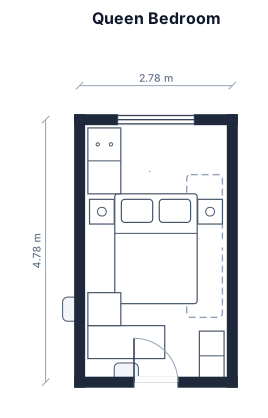
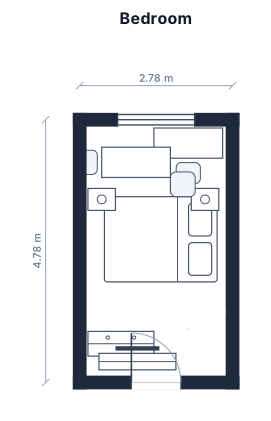
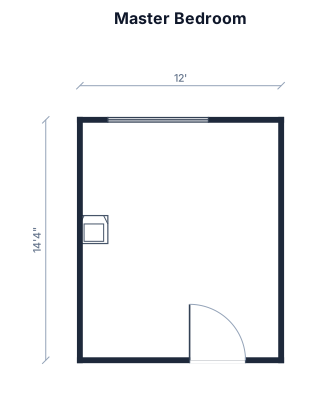
About bedroom layout planners
A bedroom layout planner is a simple way to test how a bed, storage, and seating fit in a room before you commit to moving heavy furniture or buying new pieces. People reach for one when they are setting up a new place, redecorating, fitting a growing child into a smaller room, or squeezing a desk into a space that has to double as a home office. The value is seeing the whole room to scale, so you can spot problems on screen instead of with your back. A good bedroom plan starts from accurate room dimensions and uses real furniture footprints: a queen bed is roughly 1.5 by 2 m, a king about 1.8 by 2 m, and a single around 0.9 by 1.9 m. Beyond the furniture itself, the layout that actually works leaves clearances people forget — about 60 to 75 cm of walking space on at least one side of the bed, room for wardrobe and closet doors to swing or slide open, and a clear path from the door to the bed and window. To describe your room well, give the dimensions in meters or feet, name each piece of furniture and roughly where you want it (against the long wall, in the corner, under the window), and mention fixed features like the doorway and window so the plan can route around them. You do not need any CAD skills or design software — plain sentences are enough, and you can keep rewording the description until the arrangement feels right. Every plan is drawn to scale with standard floor-plan symbols, and you can download it as an SVG or PNG to share. The tool is completely free, hourly fair-use limited, and needs no signup.
Frequently asked questions
Is the bedroom layout planner free?
Yes. FloorPlanMaker is completely free and hourly fair-use limited — you can plan as many bedroom layouts as you like at no cost.
Do I need to sign up or install anything?
No signup and nothing to install. It runs in your browser, so you can describe a bedroom and get a plan right away.
What kind of bedrooms can I plan?
Any bedroom — master suites, kids rooms, guest rooms, studio sleeping areas, or tight small bedrooms. Just describe the size and furniture you want.
Do I need CAD skills or design experience?
Not at all. You describe the room in plain English and the planner draws the to-scale layout for you, so no CAD or design background is needed.
Can I download and edit my bedroom plan?
Yes. You can download the layout as an SVG or PNG, and reword your description any time to try a different furniture arrangement.
Are these plans ready for construction?
No. These are clear, to-scale planning layouts for arranging furniture and visualizing a room, not construction-ready architectural drawings.