Classroom floor plan creator
Describe your classroom dimensions, desk count, board, storage, and learning zones to create a scaled 2D classroom floor plan. Free, no signup; hourly fair-use limits apply.
Free · no signup · no credit card · daily fair-use limits
A classroom floor plan creator turns room dimensions and teaching requirements into a scaled layout of desks, learning zones, doors, and windows. Compare rows, groups, or a U-shape before moving furniture.
Make a classroom layout in four steps
Describe your room
Give the room size, how many desks, and the arrangement (rows, groups, or a U-shape), plus the teacher desk and board.
We place the desks to scale
Your description becomes a to-scale seating chart: desks in a grid, the teacher area, the board, doors, and windows, sized to fit.
Check it fits
See the desks, aisles, and computed room area at a glance. Reword the count or arrangement to try another layout.
Download or share it
Save a sharp SVG or PNG to print, post by the door, or share with a sub or your admin.
See 189 real examples
Compare finished results with the prompts behind them, then bring one back here as your starting point.
Explore the collection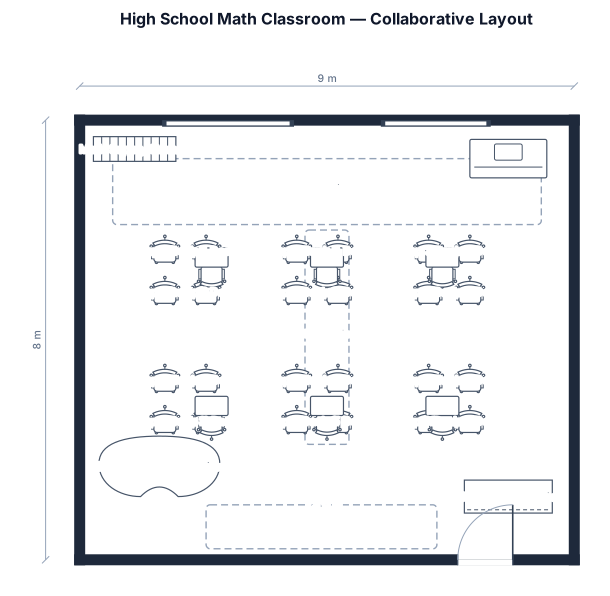
How to lay out a classroom that actually fits
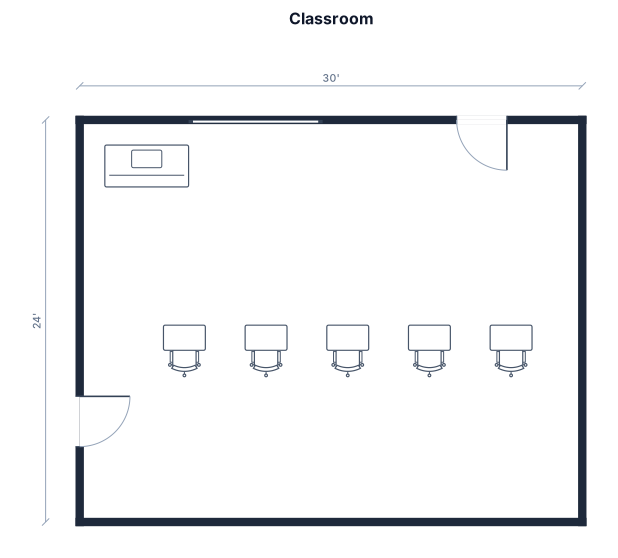
A classroom layout — or seating chart — is a floor plan of a teaching space: the desks, the teacher area, the board, and the room doors and windows, all drawn to scale so you can see what actually fits. Teachers use one to plan a new arrangement before moving heavy furniture, to share a substitute-ready map, or to meet a required student count and a clear path to the exit.
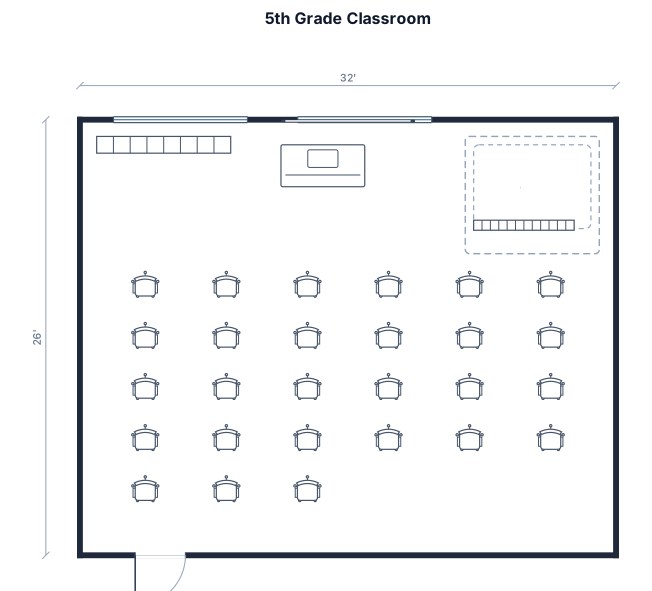
The arrangement you choose shapes how the room works. Rows face the board and suit direct instruction and testing; paired desks and small clusters support group work and discussion; a U-shape (horseshoe) puts every student in the front row for seminars, language classes, and Socratic discussion. Whatever the style, the constraints are the same: leave aisles wide enough to walk and to reach every student (about 0.9 m or 3 ft), keep the route to the door clear for egress, and do not crowd more desks than the floor allows — a typical 32 by 26 ft room seats roughly 25 to 30 students comfortably.
To make a plan, describe the room in plain English: its size, how many desks and in what arrangement, plus the teacher desk, board, and any reading corner, cubbies, or storage. The maker places the desks in a grid for you, draws each door with its swing, and reports the room area so you can confirm it fits. It is free, needs no signup, and you can redraw with a different count or arrangement in seconds — then download the chart as an SVG or PNG.
Frequently asked questions
Is the classroom layout maker free?
Yes — completely free and hourly fair-use limited, with no signup, no credit card, and no watermark. Make as many seating charts as you need.
How many desks will fit in my room?
Give the room size and a desk count and the maker draws it to scale so you can see if it fits. A typical 32 by 26 ft room seats about 25 to 30 students with walkable aisles.
Can I do rows, groups, or a U-shape?
Yes. Say the arrangement in your description — rows facing the board, small groups or pods for group work, or a U-shaped horseshoe for seminars — and the desks are placed to match.
Can I make a seating chart for a substitute?
Yes — generate the layout, download it as a PNG or SVG, and print it. It shows the desks, teacher area, and board so a sub can find everything.
Do I need design or CAD skills?
No. If you can describe the room and desk count in a sentence, you can make the chart. There is nothing to drag or line up by hand.
More free floor plan tools
Open a dedicated maker for the layout you need — each is free, hourly fair-use limited, and needs no signup.
Free floor plan maker — describe it, get a to-scale plan
Describe a room, a home, a classroom, or an event space in plain English and get a clean, to-scale 2D floor plan in seconds — walls, doors, windows, and furniture placed for you. Always free, no signup, no CAD skills needed.
Free wedding seating chart and floor plan maker
Describe your guest count, tables, head table, and dance floor and get a clean, to-scale reception layout in seconds — round tables auto-seated, with the bar, DJ, and entrances placed for you. Free, no signup.